
 Pay My Bills
 Report a Problem
 Start / Stop/ Move Service
 Business
 Contact Us
 Careers
Contact OUC
To resolve your questions and problems as quickly as possible, there are several ways to contact OUC.
Manage Your Account With myOUC
Did you know you can manage your OUC account anytime, anywhere? With myOUC, you can pay your bill, start, stop or transfer your service, report an outage and more—all from your computer, smartphone or tablet.
Pay Your Bill Online
View your bill and pay via credit card, debit card or check.
Start, Stop or Move Service
Place a request to start, stop or transfer your utilities.
View Your Bill Statements
View your current bill and download past bills (up to 5 years).
Report an Outage
Report a problem or outage and check the status of an outage.
Notice: Temporary Email Disruption
We are currently experiencing issues with our email system. For any customer service needs, please call us directly at (407) 423-9018. We are actively working to resolve the issue as quickly as possible. We apologize for the inconvenience and thank you for your understanding.
Contact OUC by Phone
Please see the information below to determine the best number to call for your issue.
| Type of Call | Phone | Days/Hours |
|---|---|---|
| 24/7 Self-Service Line For account details, bill payments, starting / stopping / moving services, reporting an outage or issue, etc. | (407) 423-9018 | 24 hours |
| Report Streetlight Problems | (407) 737-4222 | 24 hours |
| Water Quality Issues or Concerns | (407) 423-9018 | 24 hours |
| All Other Inquiries | (407) 423-9018 | Residential: M-F, 7 a.m. to 6 p.m. Commercial: M-F, 7:30 a.m. to 5:30 p.m. |

Contact OUC by Mail
Payments with bill stub:
Orlando Utilities Commission
PO Box 31329
Tampa, FL 33631-3329
For all other correspondence:
Orlando Utilities Commission
PO Box 3193
Orlando, FL 32802
Related Content
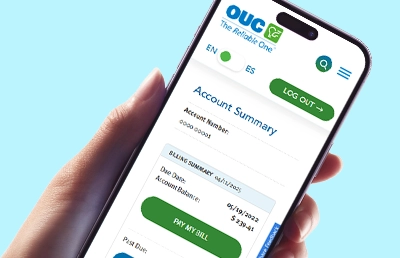
Using myOUC
Manage your OUC account online with myOUC. Log in to pay bills, track usage, report power outages and update your information from any device.
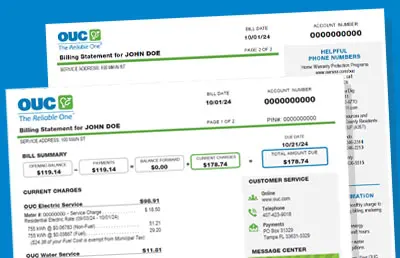
Understanding My Bill
Our sample bill can help explain all the details on your utility bill, so you know exactly what you’re paying for every month.

Service Rates & Costs
OUC offers transparent utility rates and costs. View our electric rates, water rates and more to better understand your billing and options.

Start, Stop or Move
Easily start, stop, or transfer your OUC service online. Manage your account 24/7 with myOUC, our convenient self-service portal.

Pay My Bill
Pay your OUC bill online, by phone, by mail or in person. Set up AutoPay for hassle-free payments and login to explore secure, 24/7 payment options.

Report an Outage or Problem
Contact OUC to report a power outage, water issues, breaks or leaks in a water line, downed wires or streetlight outages.